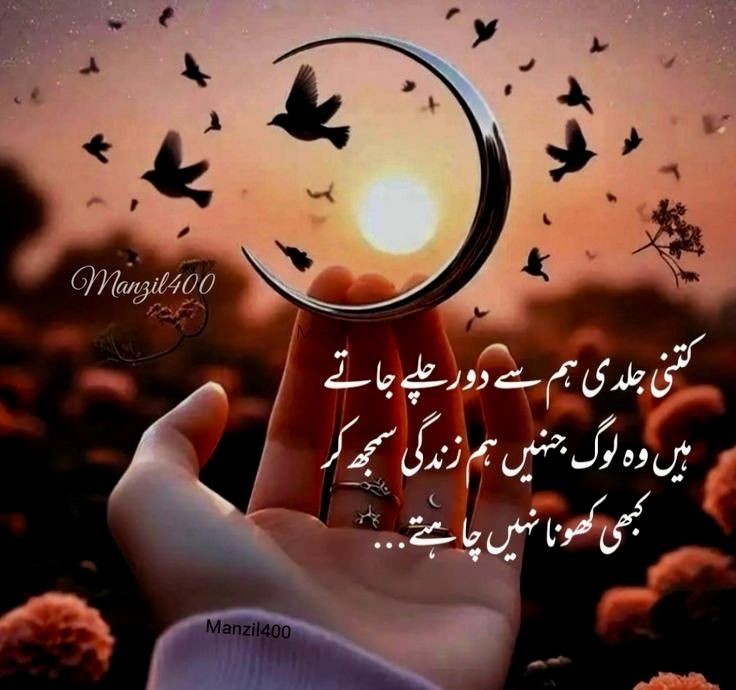
Have you ever scrolled through Pinterest and stopped at a beautiful photo with a short inspiring quote on it? Something like a mountain at sunset with the words "Go where you feel most alive" written in an elegant font? Those are called quote cards, and they are one of the most popular types of content on Pinterest.
The good news is you do not need to be a professional designer to create them. You do not need Photoshop, Canva Pro, or any paid software. With the right approach and a free tool, you can design stunning aesthetic quote cards in under 5 minutes.
I have been creating quote cards for Pinterest for over a year now, and my account has grown to 87.6k monthly views. In this guide, I will share everything I know about what makes a quote card go viral — from choosing the right background photo, to picking the perfect quote, to designing it in a way that makes people want to save it.
Why Quote Cards Work So Well on Pinterest
Before we jump into the how-to, it helps to understand why quote cards are so powerful on Pinterest in the first place. Pinterest is not like Instagram or TikTok. People do not scroll Pinterest just to see what their friends are doing. They use Pinterest to search for ideas, inspiration, and things they want to remember later.
When someone is feeling unmotivated, they might search "morning motivation quotes" on Pinterest. When someone is going through a hard time, they might search "quotes about strength". When someone is decorating their bedroom, they might search "aesthetic nature quotes".
Every one of those searches is an opportunity for your quote card to appear. And when it does appear, if it is beautiful and the quote resonates with that person emotionally, they will save it to their board. That save signals to Pinterest's algorithm that your pin is worth showing to more people — and that is how things go viral.
The key insight is this: Pinterest is a search engine, not a social network. Your quote cards need to be both visually beautiful enough to stop someone scrolling and keyword-relevant enough to appear in searches. This guide covers both.
Step 1 — Choose the Right Background Photo
The background photo is the most important part of your quote card. It sets the mood, grabs attention in the feed, and makes people feel something before they even read your quote.
The best background photos for Pinterest quote cards share these qualities:
- They are calm and beautiful — Think mountain views, forests, sunsets, oceans, flowers, misty mornings. Nature images consistently outperform other types of backgrounds for quote cards on Pinterest.
- They have an area with less detail — You need to place your text somewhere it can be read easily. An image with a bright sky area, a foggy section, or a blurred background gives you a natural space for your text.
- They have warm or natural colors — Warm tones like orange, golden yellow, soft pink, and deep green tend to perform better than cold blues and grays on Pinterest.
- They are high quality — A blurry or low-resolution photo will make your whole card look cheap, no matter how good the quote is.
You do not need to pay for photos. Toolkit Pro has a free Nature Gallery with over 120 stunning free nature photos you can download and use for any project.
Which Background Works Best for Which Quote Type?
| Background Type | Colors | Best Quote Theme | Pinterest Performance |
|---|---|---|---|
| Forest / Woodland | Deep greens, browns | Mindfulness, stillness, growth | Very high saves |
| Golden Sunset | Warm orange, gold, pink | Motivation, new beginnings | Highest link clicks |
| Ocean / Water | Blues, teals, whites | Peace, freedom, clarity | High saves and repins |
| Flowers / Garden | Pinks, purples, greens | Love, beauty, gratitude | Popular with female audience |
| Mountain / Sky | Blues, whites, grays | Adventure, ambition, dreams | Strong search volume |
Step 2 — Write a Quote That Gets Saved
Not all quotes perform equally on Pinterest. After testing hundreds of different quote cards, I have noticed clear patterns in what gets saved and what gets ignored. Here is what makes a Pinterest quote actually go viral:
Keep It Short — Under 15 Words
People scroll Pinterest very fast, especially on mobile. Your quote needs to be readable in 2–3 seconds. If someone has to squint or read slowly, they will just keep scrolling. The most-saved quotes on Pinterest are usually between 5 and 15 words.
Make It Feel Personal
The best quotes make the reader feel like someone understood exactly what they are feeling. They trigger an emotional reaction — "yes, that is exactly it!" or "I needed to read this today". Use the word "you" to speak directly to the reader. Use the word "I" to create intimacy.
Use Plain, Simple Language
Do not use complicated words or flowery language. The quotes that get thousands of saves are usually written in very simple, everyday words. "Start before you are ready" is more powerful than "Commence your endeavors prior to feeling adequately prepared."
Real Examples of High-Performing Quote Styles
Step 3 — Design Your Quote Card for Free
Now comes the fun part. You have your background photo and your quote. Now you need to put them together into a beautiful card.
Toolkit Pro has a free Nature Quote Designer built exactly for this. You do not need to download any software. It works completely in your browser. Here is how to use it:
Open the Nature Quote Designer
Go to app-tool.vercel.app and scroll to the Nature Quote Designer section. No sign-up needed.
Upload your background photo
Click the upload area and select your chosen nature photo. The image loads instantly in your browser — it is never uploaded to any server.
Type your quote in the text box
Type or paste your quote into the text field. The designer automatically applies an elegant glass-effect overlay card with beautiful Lora serif italic typography.
Download as PNG
Click the Download button to save your finished quote card as a high-resolution 2× PNG file to your device. Ready to upload to Pinterest.
Compress before uploading
Run your PNG through Toolkit Pro's free Image Compressor — convert to WebP at 80% quality. This makes your pin load faster on Pinterest, which helps with reach.
Step 4 — The Right Size for Pinterest Pins
Pinterest has specific image dimensions that perform best. Getting this right is important because pins that match the ideal ratio take up more space in the feed — which means more people see them.
- Best size: 1000 × 1500 pixels (2:3 ratio) — This is the sweet spot. It takes up more vertical space in Pinterest feeds than square images, so it gets more impressions.
- Never use square (1:1) — Square pins are smaller in the feed and get significantly less reach than vertical pins.
- Do not go too tall — Pinterest crops images taller than 1:2.1 ratio in the feed. Stay within the 2:3 ratio for best results.
- File size: under 500KB — Smaller files load faster in the Pinterest feed, which can help your pin reach more people.
Step 5 — Optimizing Your Pin for Pinterest Search
Creating a beautiful quote card is only half the work. The other half is making sure Pinterest shows it to the right people. This is where Pinterest SEO comes in.
When you upload a pin to Pinterest, you need to fill in two things: the pin title and the pin description. These are incredibly important. Pinterest reads this text to understand what your pin is about and decide who to show it to.
How to Write a Good Pin Title
Your pin title should include your main keyword and tell people exactly what the quote is about. Keep it natural — do not stuff keywords awkwardly. For example:
- Good: "Beautiful forest quote for morning motivation — nature aesthetic"
- Bad: "Quote card nature aesthetic forest motivation inspirational forest morning"
How to Write a Good Pin Description
Write 2–4 sentences that naturally describe your pin and include the keywords your target audience would search. Think about what someone would type into Pinterest search if they were looking for your pin. Include those exact phrases.
For example, for a forest mindfulness quote card:
"A beautiful aesthetic nature quote card featuring a misty forest background. Perfect for morning mindfulness routines, self-care boards, and nature lovers. Save this peaceful quote for your daily inspiration. #NatureQuotes #MindfulnessQuotes #AestheticPinterest #ForestVibes"
Step 6 — Build a Consistent Aesthetic
The accounts on Pinterest that grow the fastest are not the ones that post randomly. They are the ones that have a clear, consistent visual aesthetic that people recognize immediately.
Think about your favorite Pinterest accounts. When you visit their profile, all their pins look like they belong together — same colors, same fonts, same mood. That consistency makes people want to follow because they know what to expect.
Here is how to build visual consistency for your quote cards:
- Pick 2–3 consistent brand colors — Use Toolkit Pro's Color Palette Extractor to pull the exact colors from your most successful background photos. Use those same colors in your font, overlays, and watermarks across all pins.
- Stick to one or two font styles — The Nature Quote Designer uses Lora serif italic — this is a beautiful, consistent choice. Stick with it so your pins look unified.
- Create themed boards — Group your pins by theme: "Morning Motivation", "Nature Quotes", "Self-Care Sunday". Themed boards rank higher in Pinterest search than general mixed boards.
- Post consistently — Aim for 5–10 pins per day. Regular posting signals to Pinterest that your account is active, which helps your content get distributed to more people.
The Complete Pinterest Quote Card Checklist
Before you upload any quote card to Pinterest, run through this quick checklist. It covers everything that separates high-performing pins from ones that get ignored:
- ✅ Background photo is high quality and emotionally appealing
- ✅ Quote is under 15 words and uses simple, clear language
- ✅ Text is readable — good contrast between text and background
- ✅ Pin is sized at 1000 × 1500 px (2:3 ratio)
- ✅ File is compressed to under 500KB (WebP format preferred)
- ✅ Pin title includes your main keyword naturally
- ✅ Pin description is 2–4 sentences with relevant keywords
- ✅ Pin is saved to the most relevant themed board
- ✅ Design is consistent with your other pins in color and font style
Frequently Asked Questions
🌿 Design Your Quote Card Right Now — Free
Use Toolkit Pro's free Nature Quote Designer — upload any photo, type your quote, and download a beautiful high-resolution card ready for Pinterest. No account, no software, no cost.
Open Nature Quote Designer Free